Overlay: CV, LV%, IV%
The Council values layer shows council rating valuations on the map. Choose CV to see a property's capital value, or LV% or IV% to see how much of that value is land and how much is improvements.
How to view Council values
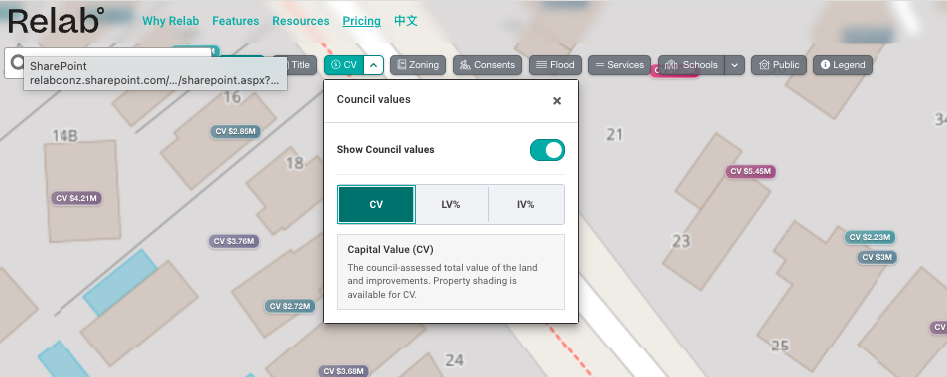
Click the arrow next to the CV button at the top of the map to open the Council values panel.
Turn on Show Council values. You can also click the CV button itself to switch the layer on and off.
Choose CV, LV% or IV%.
CV, LV% and IV% explained
CV (Capital Value) — the council-assessed total value of the land and improvements. The value shows the current council rating valuation and a percentage, representing how the current CV relates to the previous CV. Decreasing values are pink, and increasing values are green.
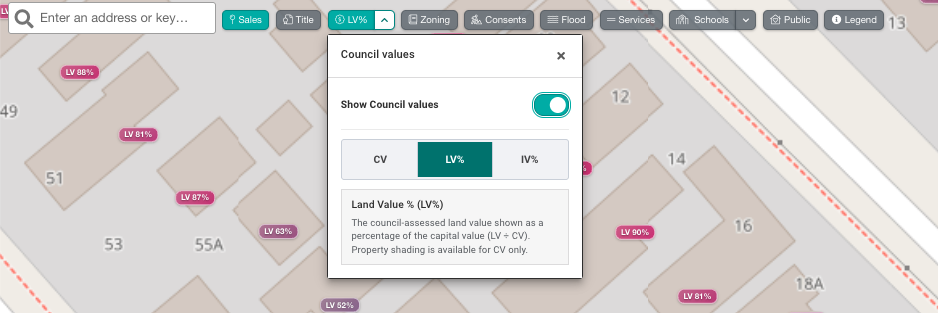
LV% (Land Value %) — the council-assessed land value shown as a percentage of the capital value (LV ÷ CV).
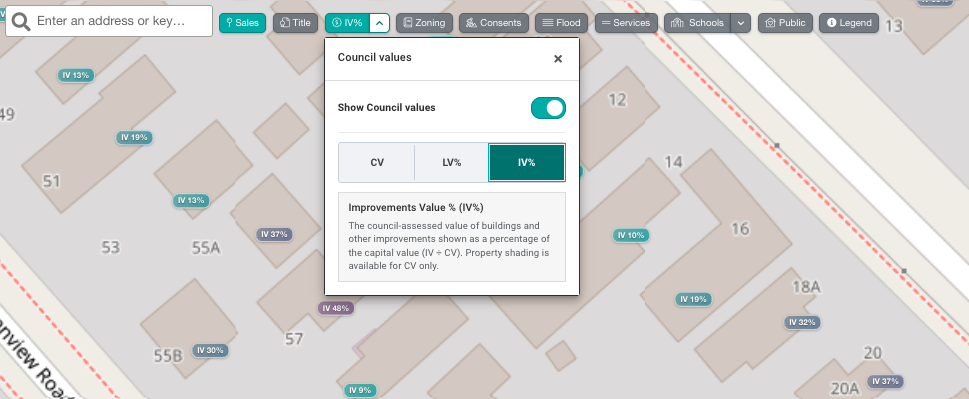
IV% (Improvements Value %) — the council-assessed value of buildings and other improvements shown as a percentage of the capital value (IV ÷ CV).
With LV% or IV% selected, each property shows a label with its percentage, for example IV 15%. A high LV% means most of the property's value is in the land. A high IV% means most of it is in the buildings and other improvements.
Property shading is available for CV only.
🔥 Hot tip — if you zoom out you will see changes in CV at suburb level. Darker pink areas are areas with decreasing CV values.

FAQs
What is the difference between CV, LV% and IV%?
CV is the total council value of the property. LV% shows what share of that value is the land, and IV% shows what share is the buildings and other improvements.
Last updated: 15 October 2026